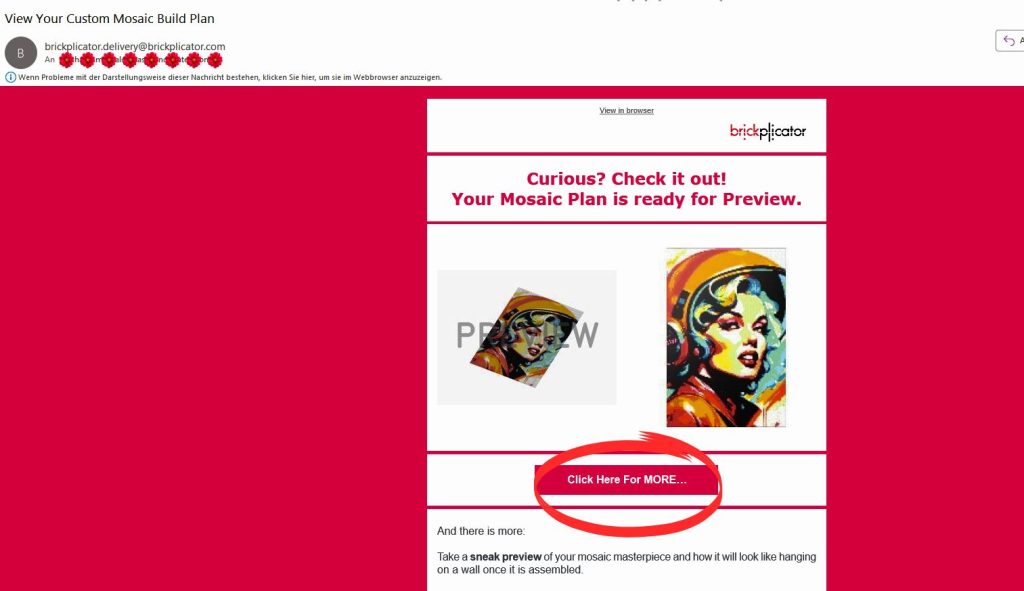
- Open the email titled “View Your Custom Mosaic Build Plan” from brickmosaicdesigner.com.
2. Click the “Click Here For MORE…” button in the email. This opens your Mosaic Product Page.
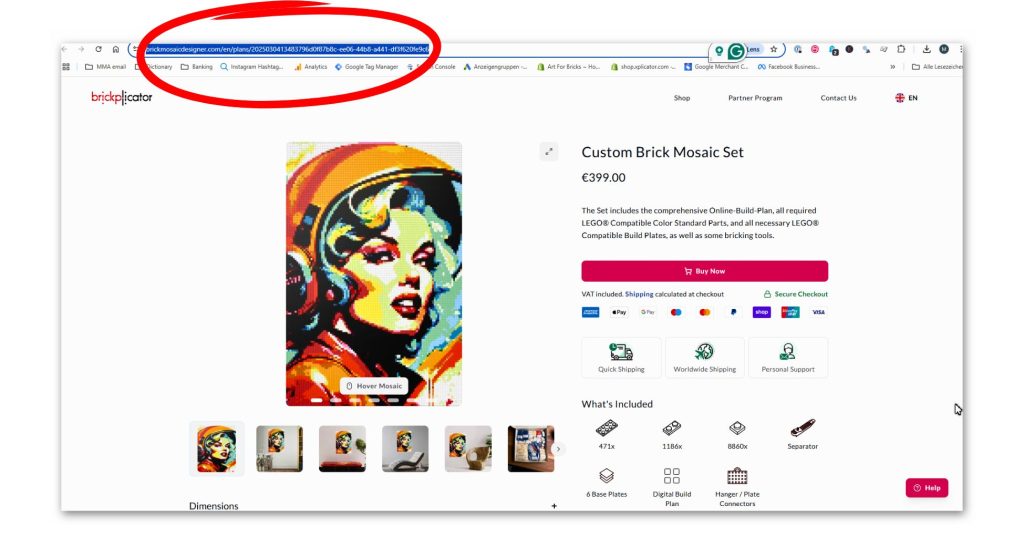
3. Copy the URL (starts with https://brickmosaicdesigner.com/…).
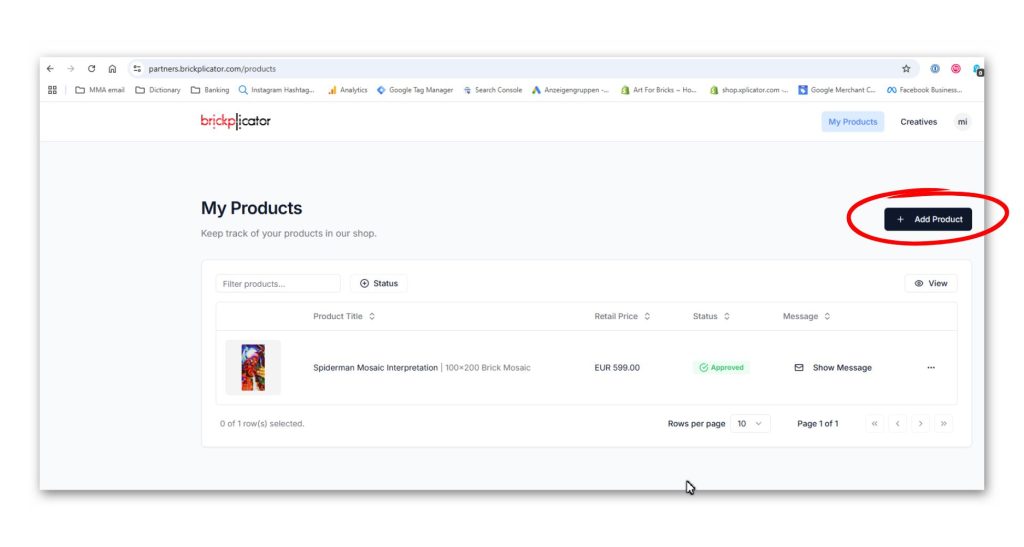
4. Log into your Brickplicator Partner Account → go to “My Products”.
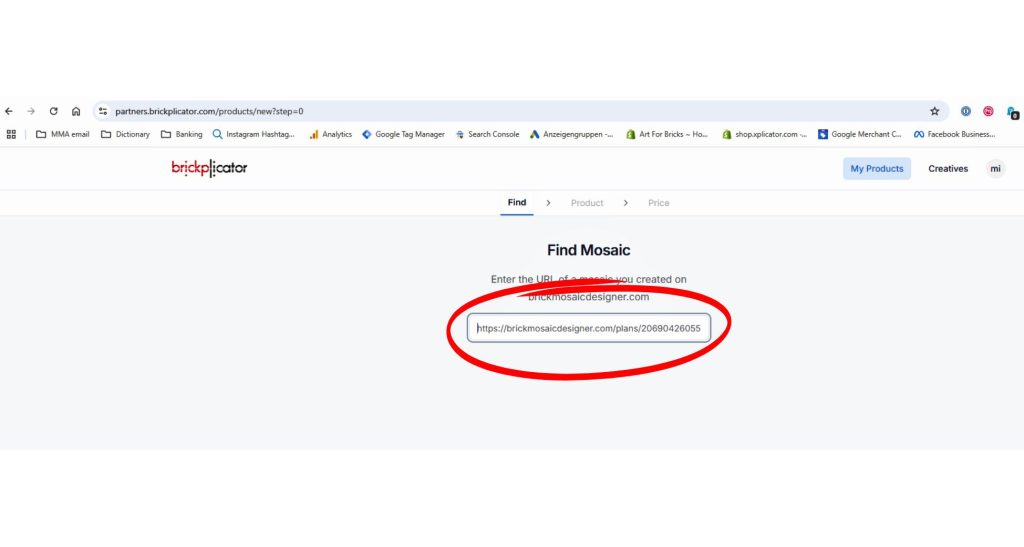
5. Click “Add Product”, paste the copied URL into the search field, and select your mosaic.
6. Fill in the required product details. Optional fields are available for additional customization.
✨Tip:The entered details appear as-is in the Art4Bricks Store.
➡️Important: All product descriptions must clearly state that they are “brick” or “LEGO compatible” and are not associated with LEGO®.
➡️The Long Description contains standard Art4Bricks product details and cannot be removed, but you can add a custom description above it.
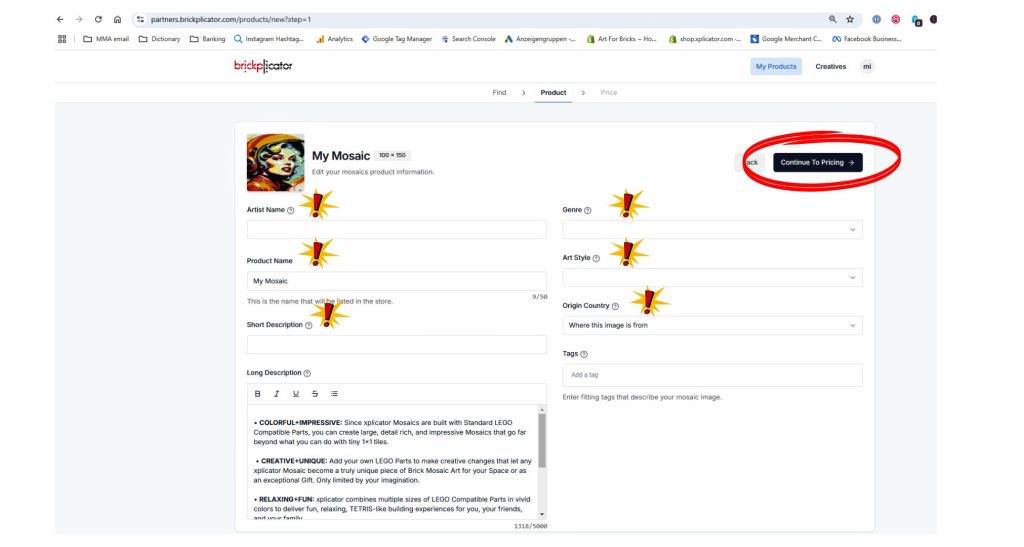
7. Click “Continue To Pricing” to set pricing and availability.
➡️The Base Product Price is listed automatically.
➡️Enter your Product Price, and the system will calculate your Partner Margin.
➡️If needed, set a Limited Quantity (leave blank for unlimited sales).
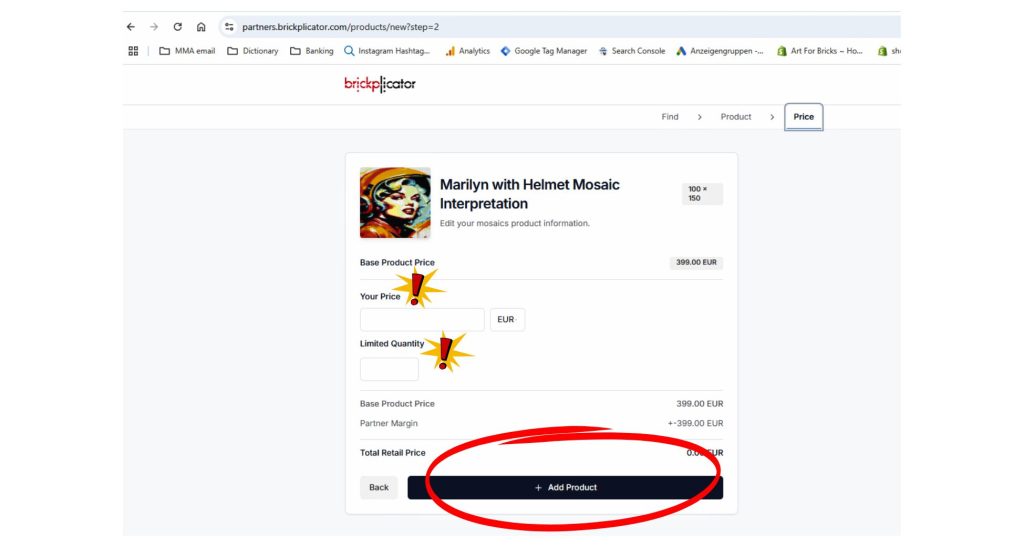
➡️ Click “Add Product” to register your product. You can edit it before submitting for approval.
📹Watch our tutorial video for a step-by-step guide on how to register a product with the Platform and submit for approval.